Feel better at your desk1-minute stretch breaks that fit your workday.
Guided sessions for morning, afternoon, and evening.
Just $4.99 USD
One-time purchase
See it on your Mac the way you actually use it
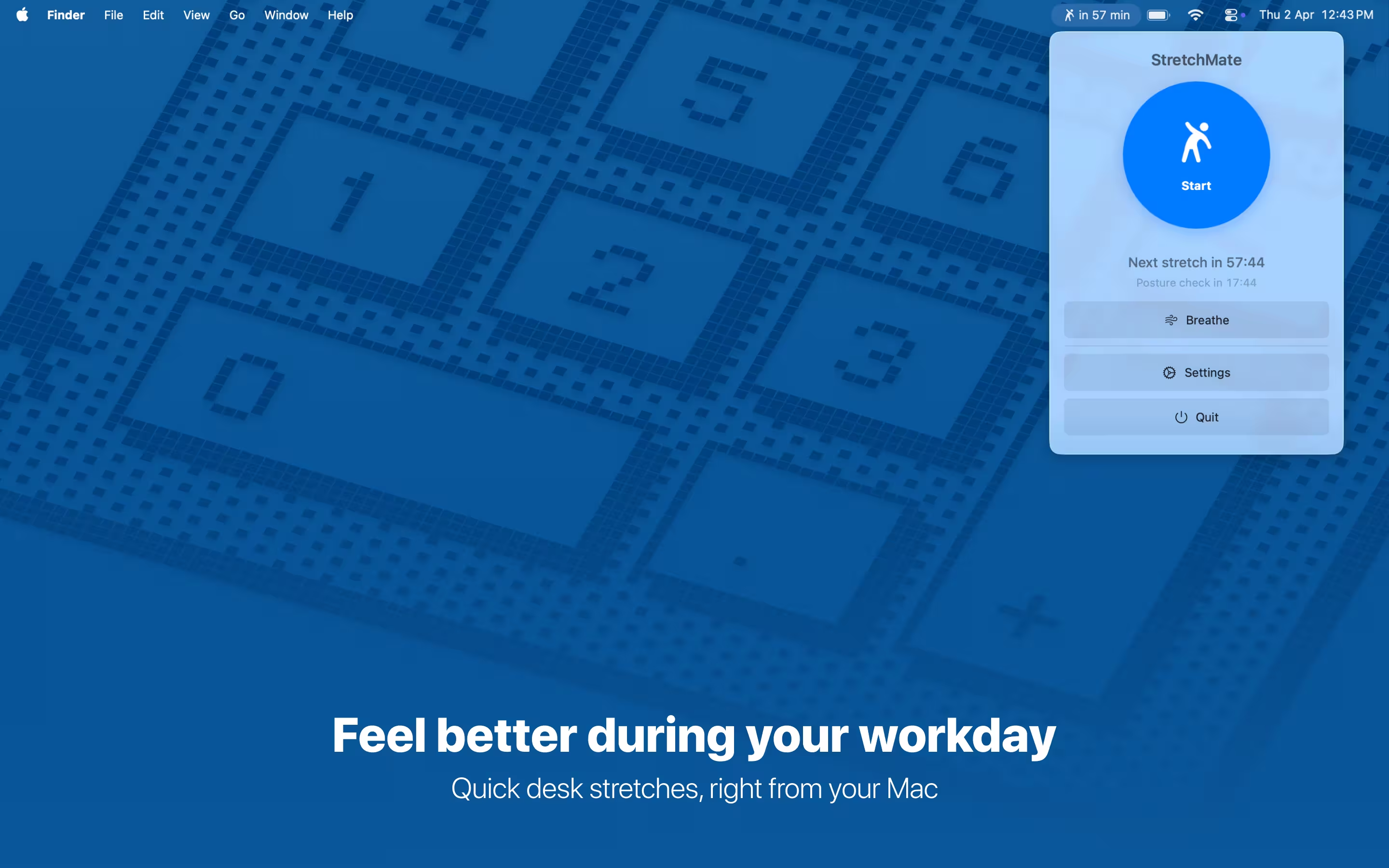
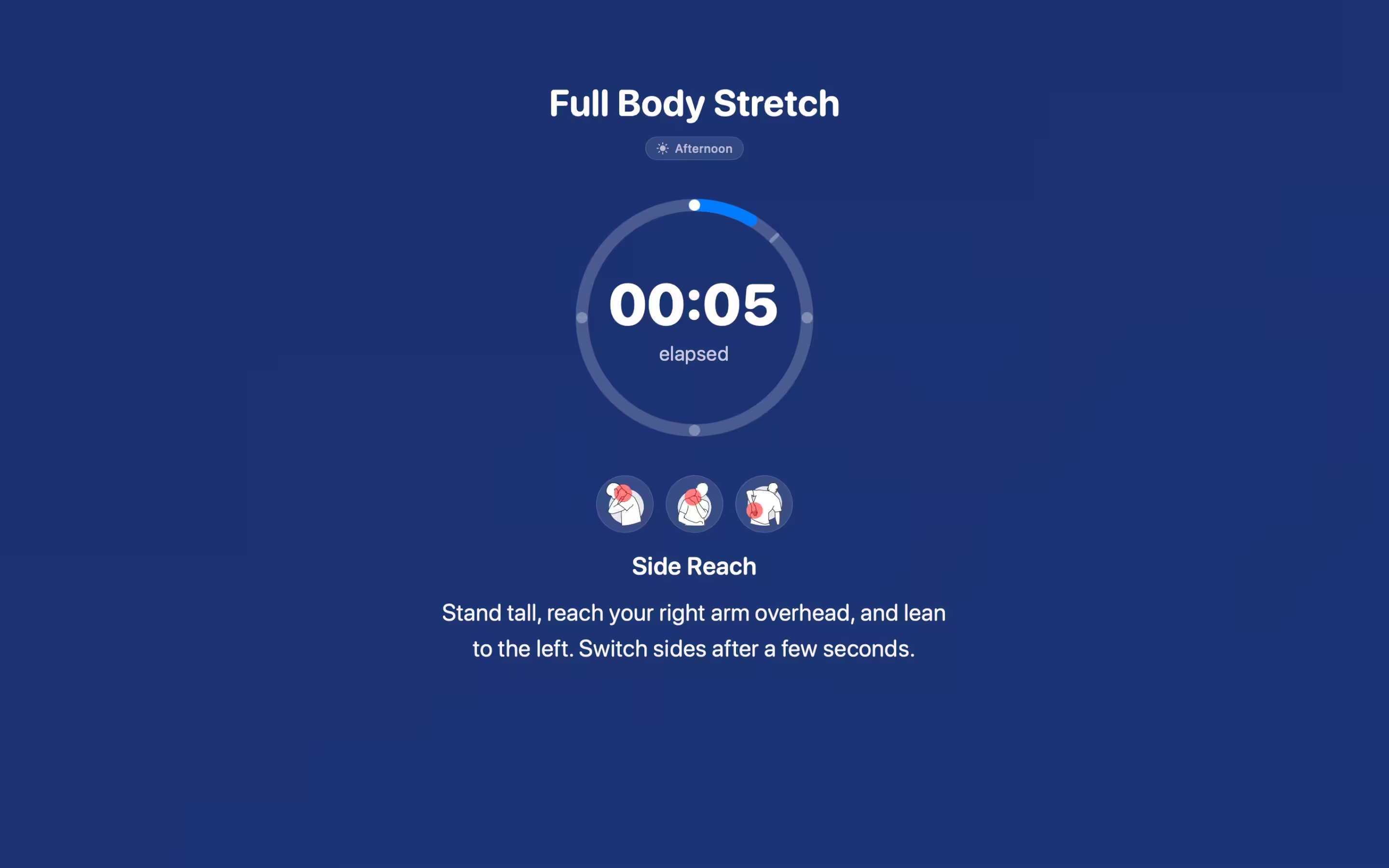
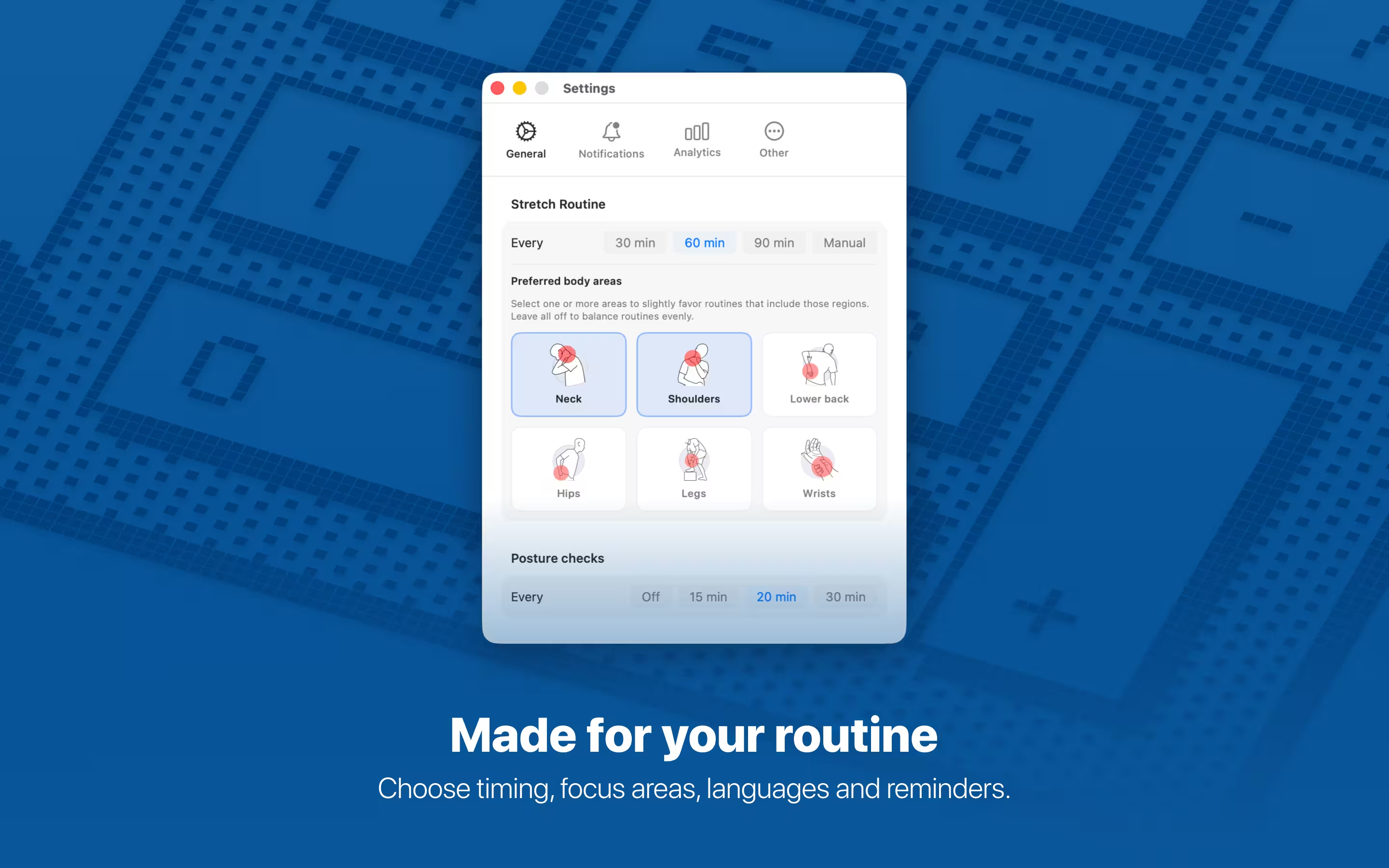
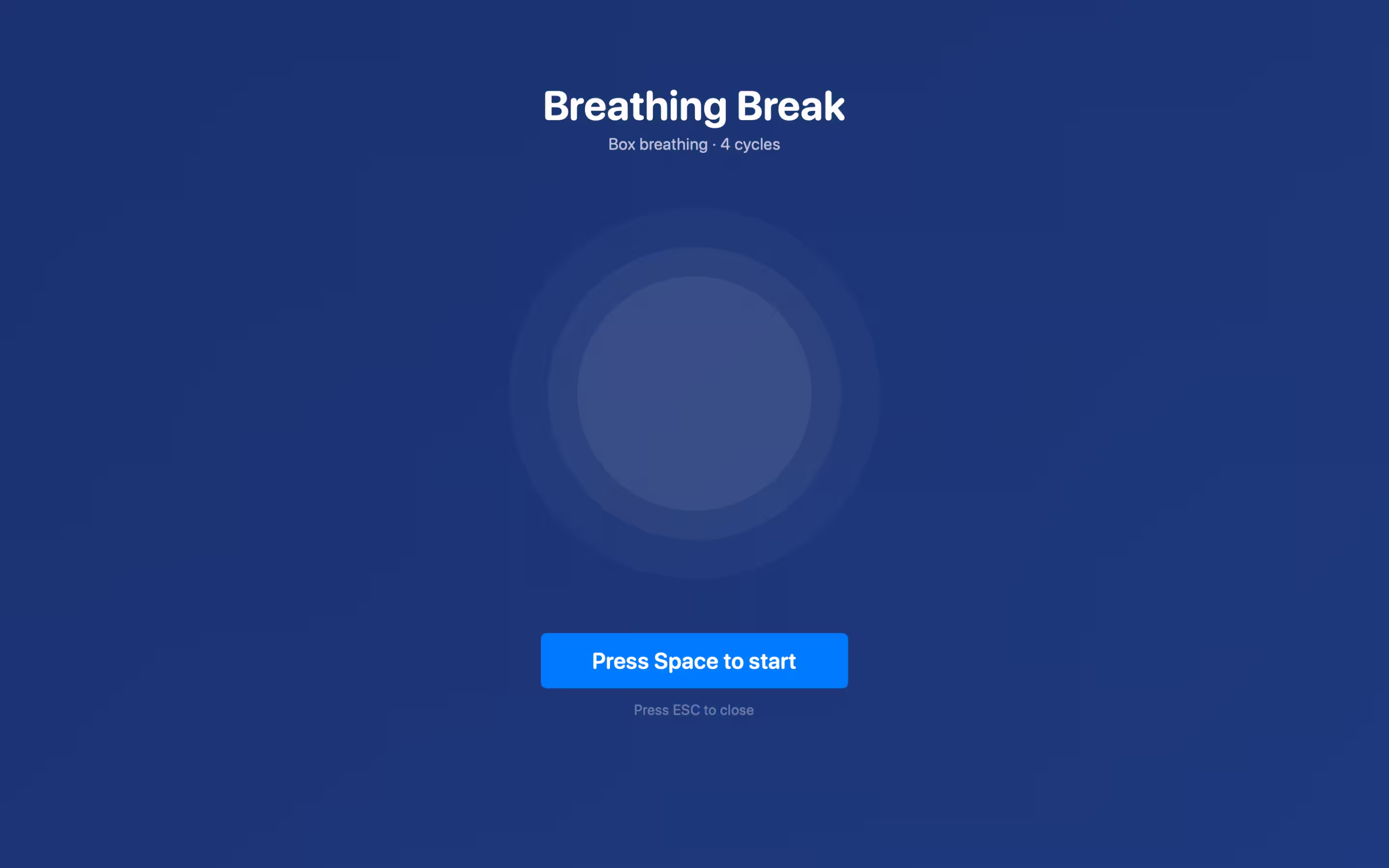
Smart wellness breaks, without disrupting your flow
Sessions that fit the clock, stretches that fit your body—plus posture nudges and box breathing when you need a reset.
Sessions for your day
Sessions are tuned for morning, afternoon, and evening so your breaks feel relevant to the moment—not generic.
Start, breathe, and stretch from the menu bar with gentle reminders that fit remote work and home office life.
Area focus
Prioritize neck, shoulders, back, eyes—or mix it up—with routines built for real desk days.
Movement, posture, decompression, and eye rest when you need them.
Posture reminders
Optional posture checks at an interval you choose help you sit better and stay aware during long sessions.
Turn them off anytime, or pick a cadence that matches how you work.
Box breathing
A guided breathing exercise to calm your nervous system and refocus between tasks.
Pair it with 1-minute stretch breaks for a full reset without leaving your desk.
Frequently asked questions
Desk stretches on Mac, smarter sessions, area focus, posture reminders, box breathing, pricing, and remote-work wellness
For many people, a short stretch break about every hour works well. StretchMate offers three reminder levels—light, moderate, and intensive—so you can match how busy your day is. You can also enable posture reminders at a separate interval you choose, or turn them off entirely. Start with moderate stretching frequency and adjust based on how your body responds.
StretchMate includes multiple desk-friendly routines with smarter sessions for morning, afternoon, and evening. You can emphasize areas like neck, shoulders, back, and eyes. Routines cover movement, posture, decompression, and eye rest. Optional posture reminders nudge you to check how you are sitting, and guided box breathing helps you reset mentally. Everything is beginner-friendly and needs no special equipment—usually just a chair and a little space.
Yes! Most exercises can be done while seated at your desk. Some stretches may require standing briefly, but all are designed to be quick and unobtrusive for your work environment. Each exercise includes clear instructions for proper form.
Stretch breaks are designed to be quick—about a minute—so they fit naturally between tasks. Exact timing can vary by routine, but the app is built around short sessions that do not derail your workflow. You can also use box breathing on its own when you want a calm, focused reset.
Yes! Regular stretching breaks can significantly reduce back pain caused by prolonged sitting. Our exercises specifically target the hip flexors, lower back muscles, and upper back muscles that become tight from desk work. Consistent daily stretching helps improve posture, relieve tension, and prevent chronic pain from developing.
Posture reminders are optional, gentle prompts that remind you to check how you are sitting. You can choose how often they appear—or turn them off. They complement stretch breaks by building awareness during long desk sessions.
Box breathing is a simple, structured breathing pattern (inhale, hold, exhale, hold) that many people use to calm stress and refocus. StretchMate guides you through it from the app so you can reset without leaving your desk.
StretchMate is built for macOS and lives in your menu bar. Notifications and the interface are designed to feel native and low-friction so you can stay in flow.
No special equipment required! All exercises use your body weight and can be performed in your home office. You only need a chair and a small space to stand up for some stretches.
StretchMate is just $4.99 USD as a one-time purchase with no subscriptions or recurring fees. Buy once and stretch forever - perfect for budget-conscious remote workers looking for affordable wellness solutions.
StretchMate includes targeted neck stretches like chin tucks, neck rotations, and shoulder shrugs that specifically address neck pain from prolonged computer use. These exercises help relieve tension and improve neck mobility for better comfort during long work sessions.
Yes! Regular stretching breaks have been shown to improve focus, reduce mental fatigue, and boost overall productivity. Our 1-minute sessions provide the perfect mental reset while keeping you physically comfortable throughout your workday.
StretchMate includes easy-to-follow home stretching routines like shoulder rolls, wrist circles, seated spinal twists, and gentle neck stretches. All exercises are beginner-friendly and require no special equipment - perfect for anyone working from home.
Start with our 1-minute sessions - they're perfect for building a daily habit. Choose your preferred frequency (light, moderate, or intensive) and let StretchMate remind you with gentle notifications. Consistency is key, and our short sessions make it easy to stick with your routine.
Our beginner-friendly stretches include simple movements like shoulder shrugs, wrist flexions, gentle neck rotations, and seated back stretches. Each exercise includes clear instructions and can be done safely by anyone, regardless of fitness level.
Absolutely! All StretchMate exercises are designed for home environments. You can do them in your living room, home office, bedroom, or anywhere you have a chair. No gym equipment, yoga mat, or special space required—just you and a comfortable chair. Most exercises can be done seated, with some requiring just enough space to stand up briefly.
StretchMate includes targeted exercises for common computer posture issues: forward head posture (chin tucks), rounded shoulders (chest openers), hunched back (upper back extensions), and tight hip flexors (hip flexor stretches). Our routines address the muscle imbalances caused by prolonged computer use, helping you maintain better posture throughout your workday.
Desk exercises are designed to complement, not replace, your regular fitness routine. While gym workouts and yoga classes build strength and flexibility over time, desk exercises provide immediate relief from the specific muscle tension caused by sitting. Think of them as maintenance stretches—quick interventions that prevent pain and discomfort from accumulating during your workday.
StretchMate exercises are designed to be gentle and safe for most people, but if you have an existing back or neck injury, we recommend consulting with your healthcare provider before starting any new exercise routine. Our exercises are low-impact and focus on gentle stretching rather than intense movement. Start with the lightest frequency setting and listen to your body—if any exercise causes pain, stop immediately.
Yes. Many organizations purchase StretchMate for their teams as part of corporate wellness or remote-work wellness programs. Managers, HR, and office managers can offer it as a low-cost, one-time perk: no subscriptions to manage, no ongoing admin, and employees get a permanent license. For bulk or volume inquiries (e.g., gift codes or multiple seats), contact us at the email on this site—we're happy to support workplace wellness and desk-based stretching initiatives.
Yes. StretchMate fits well into workplace wellness programs, especially for remote or hybrid teams and desk-based roles. Wellness leads and HR can recommend it for back pain, posture, and energy without coordinating classes or equipment. The 1-minute format fits into the workday easily, and the one-time price keeps program costs predictable. It's a simple addition to existing benefits like ergonomics or mental health resources.
Start feeling better at your desk
Download StretchMate on the Mac App Store—smarter stretch sessions, area focus, posture reminders, and box breathing.